Rotate secrets in one go
After a breach, find every secret across your projects, paste each new key once, review, and update every service that uses it.
A free, open-source dashboard for your Railway account. It shows where the bill goes, flags projects that charge with nothing running, and cleans up only after you approve each change.
Runs on your own machine. Your Railway token never leaves it. The demo uses made-up data.
| Project | Running? | Per day | |
|---|---|---|---|
| heroic-contentment | no | $0.036 | |
| profound-upliftment | no | $0.027 | |
| positive-inspiration | no | $0.027 | |
| daring-beauty | no | $0.012 | |
| and 10 more | no | $0.098 | |
| 14 projects | $0.20 a day |
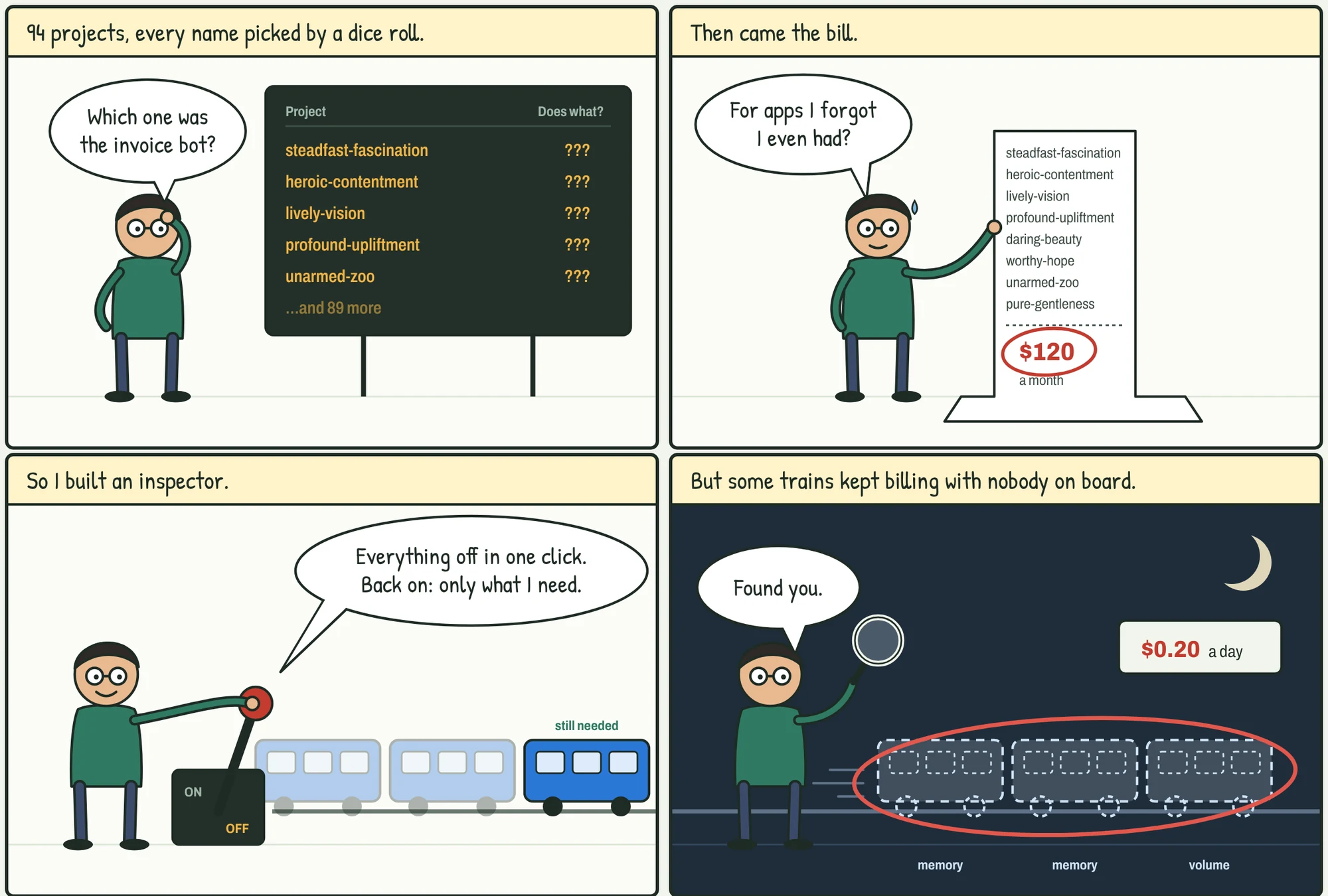
How a pile of side projects turned into a $120 bill, and why I built a tool to read it.
After the cleanup on September 25, nearly all of what this workspace still cost each day was for projects whose deployment history shows nothing running.
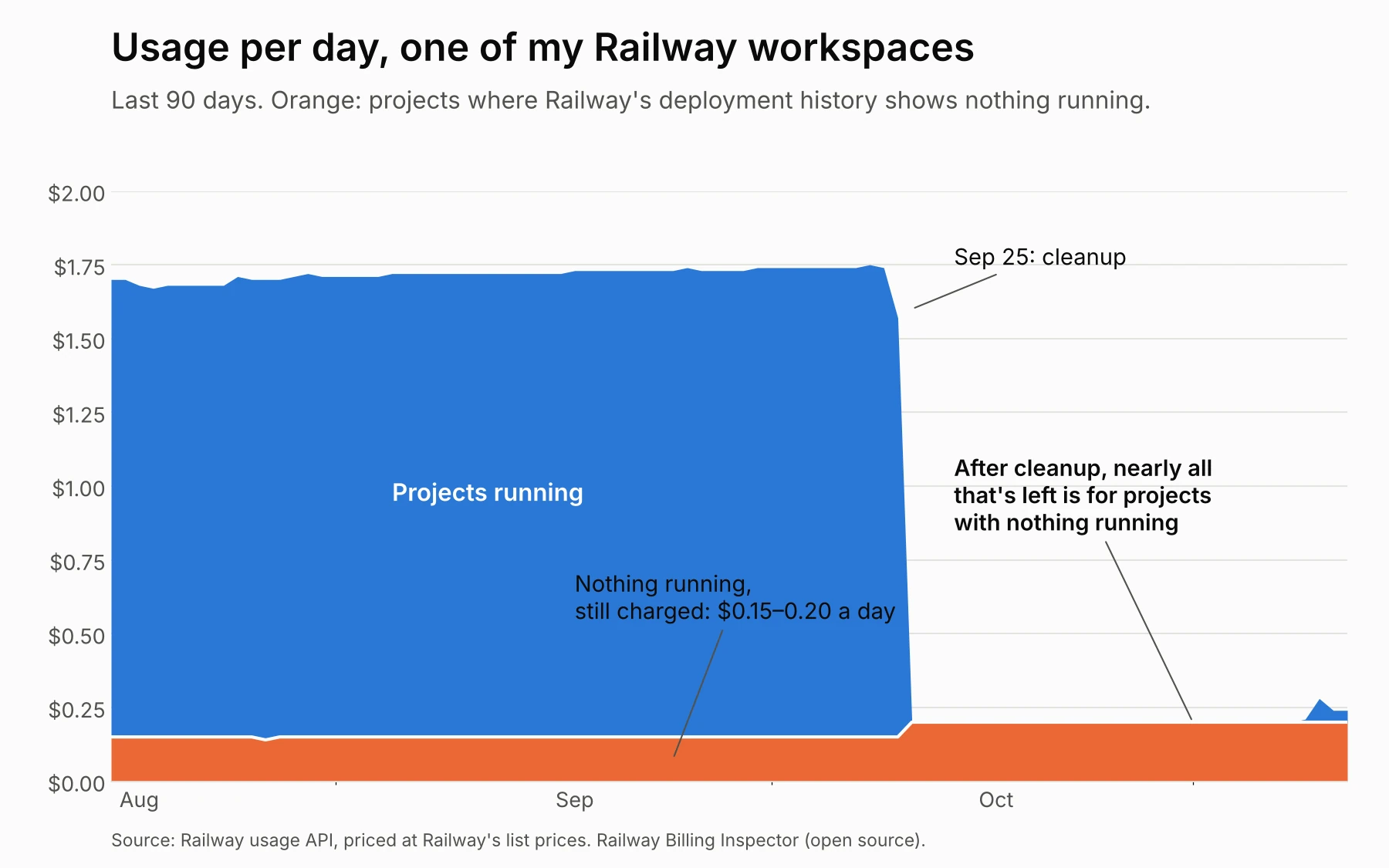
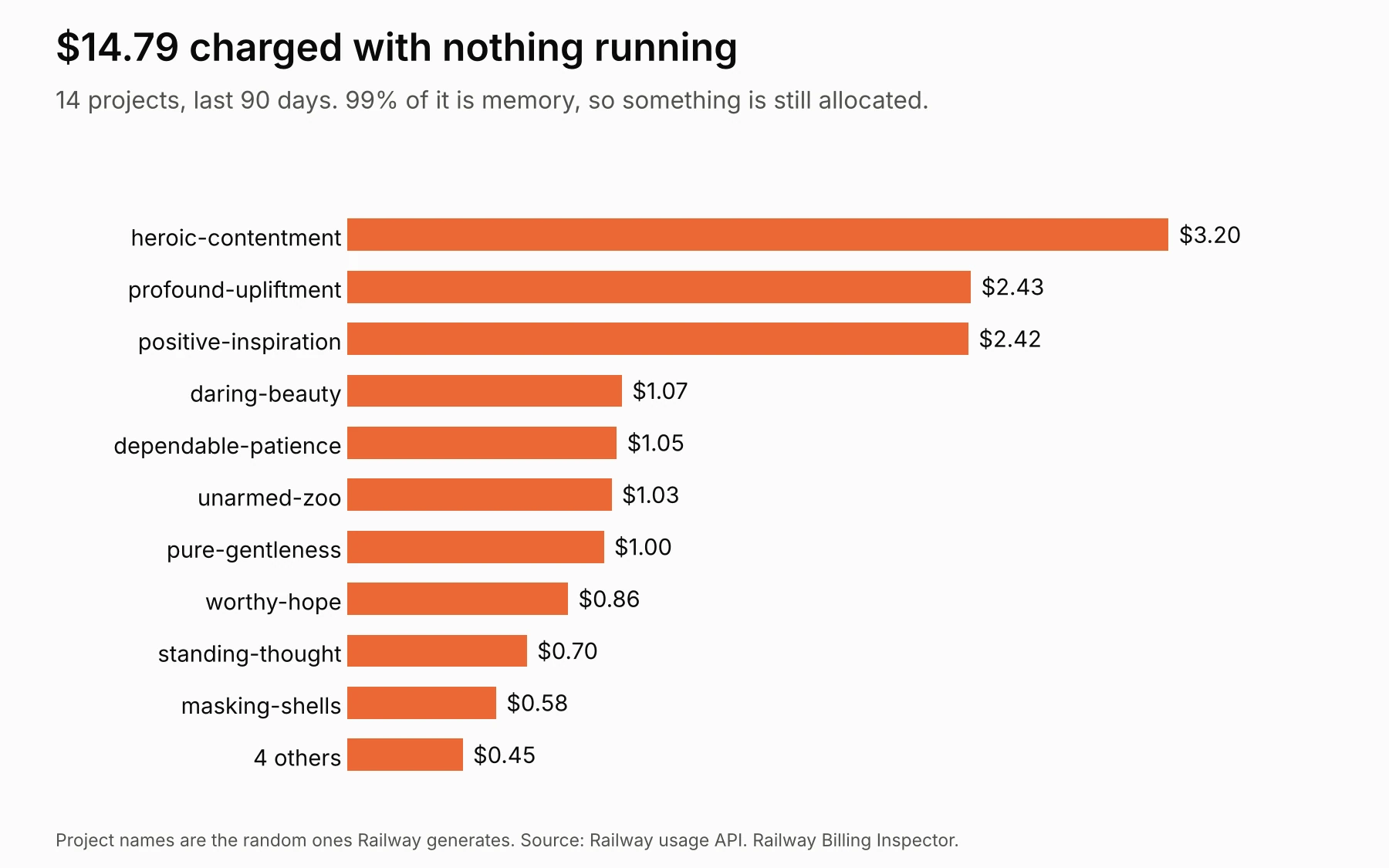
These are real numbers from one of my Railway workspaces. I run several Railway accounts and a few on Vercel, so they're a slice of my hosting bill, not all of it. On a plan whose fee already covers this much usage, idle charges may not add to the invoice, but they use up what the fee includes.
Pick one to see it. Every screenshot is from the live demo, which runs on made-up data.
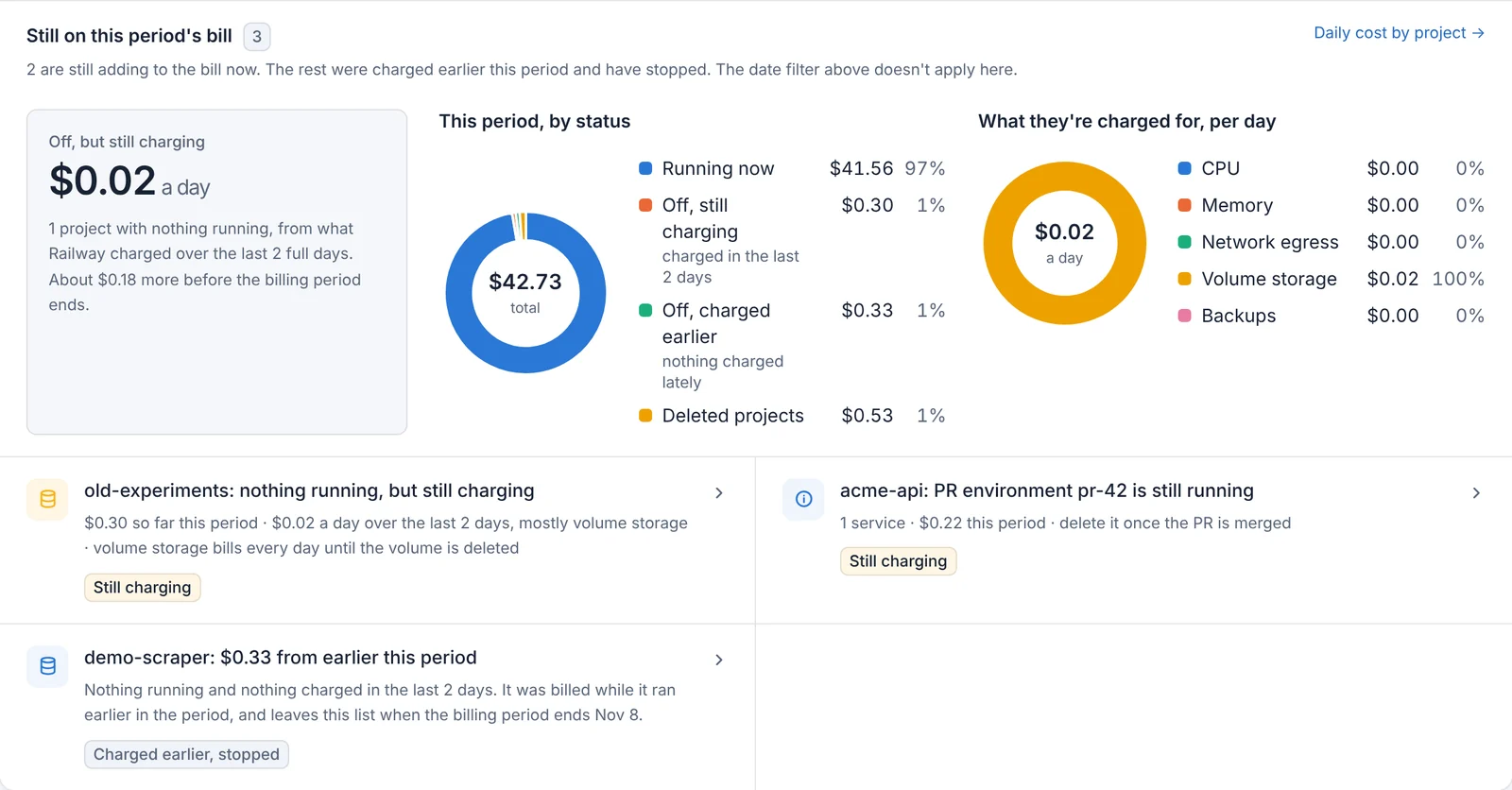
It checks what Railway actually charged each project over the last two full days. A project with nothing running that was still charged says so, with the cost per day and the reason: memory or CPU still held somewhere, network traffic, or a volume that bills every day until it's deleted.
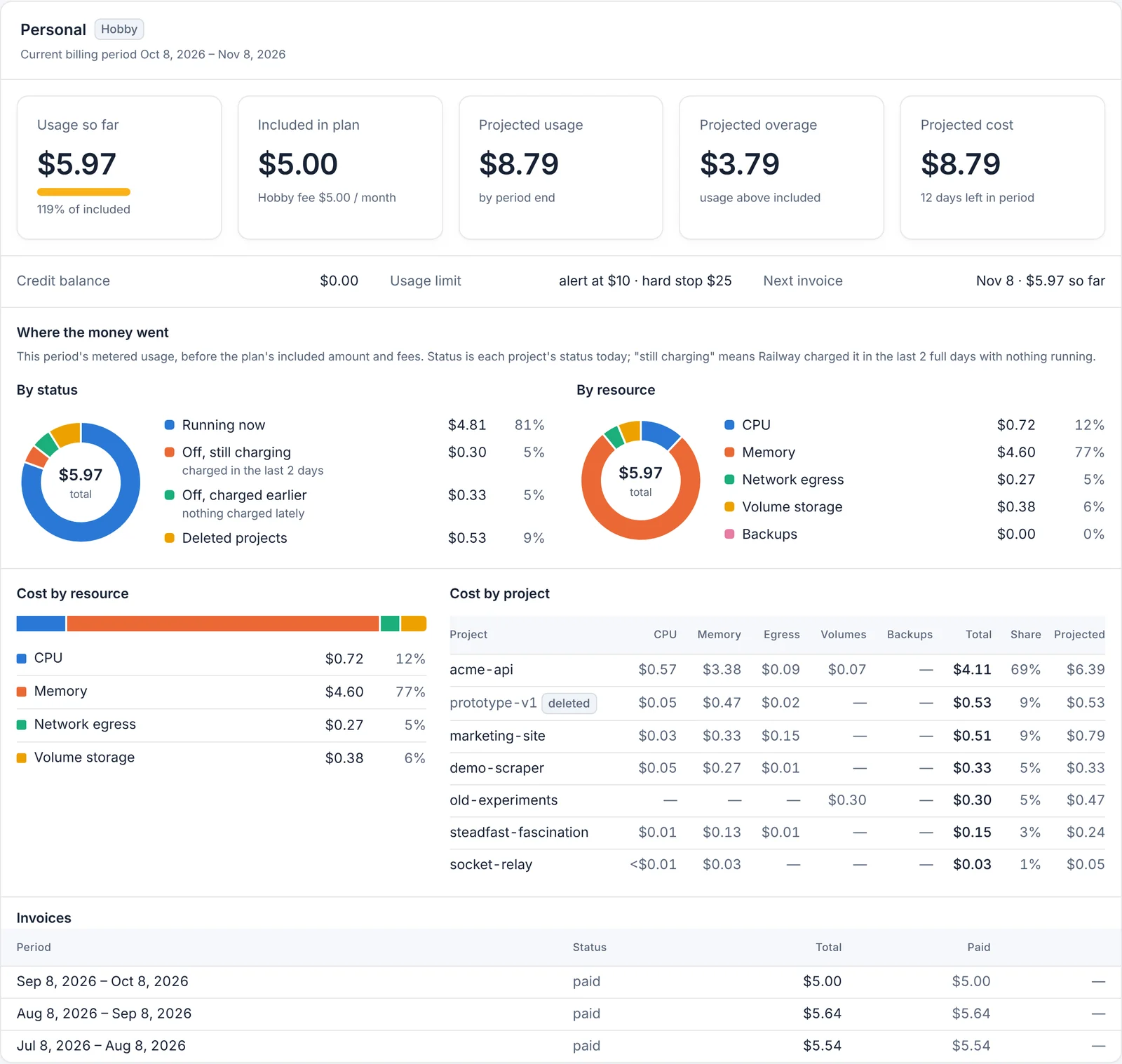
Usage against what your plan includes, the projected bill, and where the money went, by each project's status and by resource. Switch to last period to compare, or open Cost history for what changed day by day.
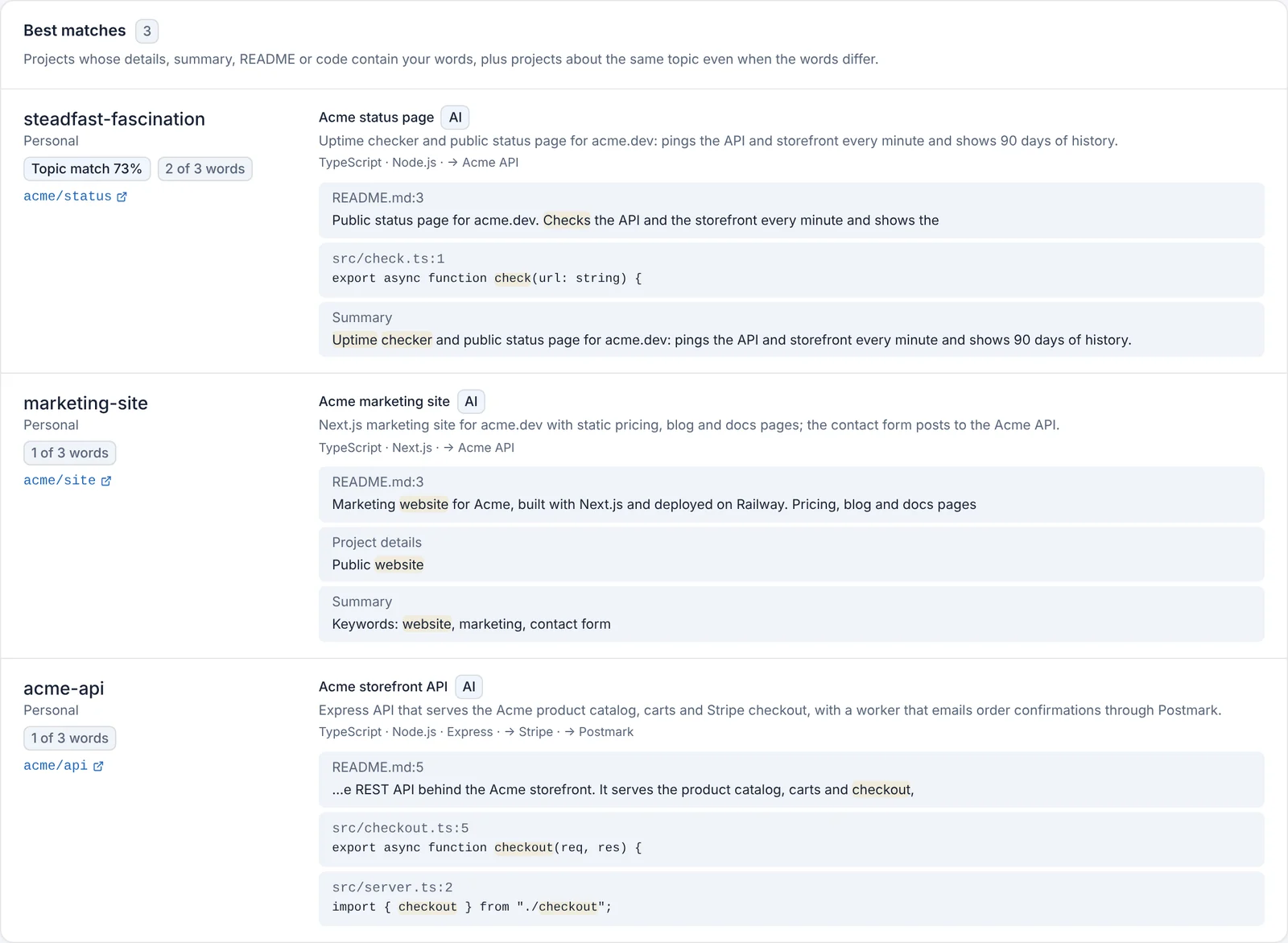
Search every project's summary, README and code from an index kept on your machine. Topic search finds a project about the same subject even when your words never appear in it, and every result shows why it matched.
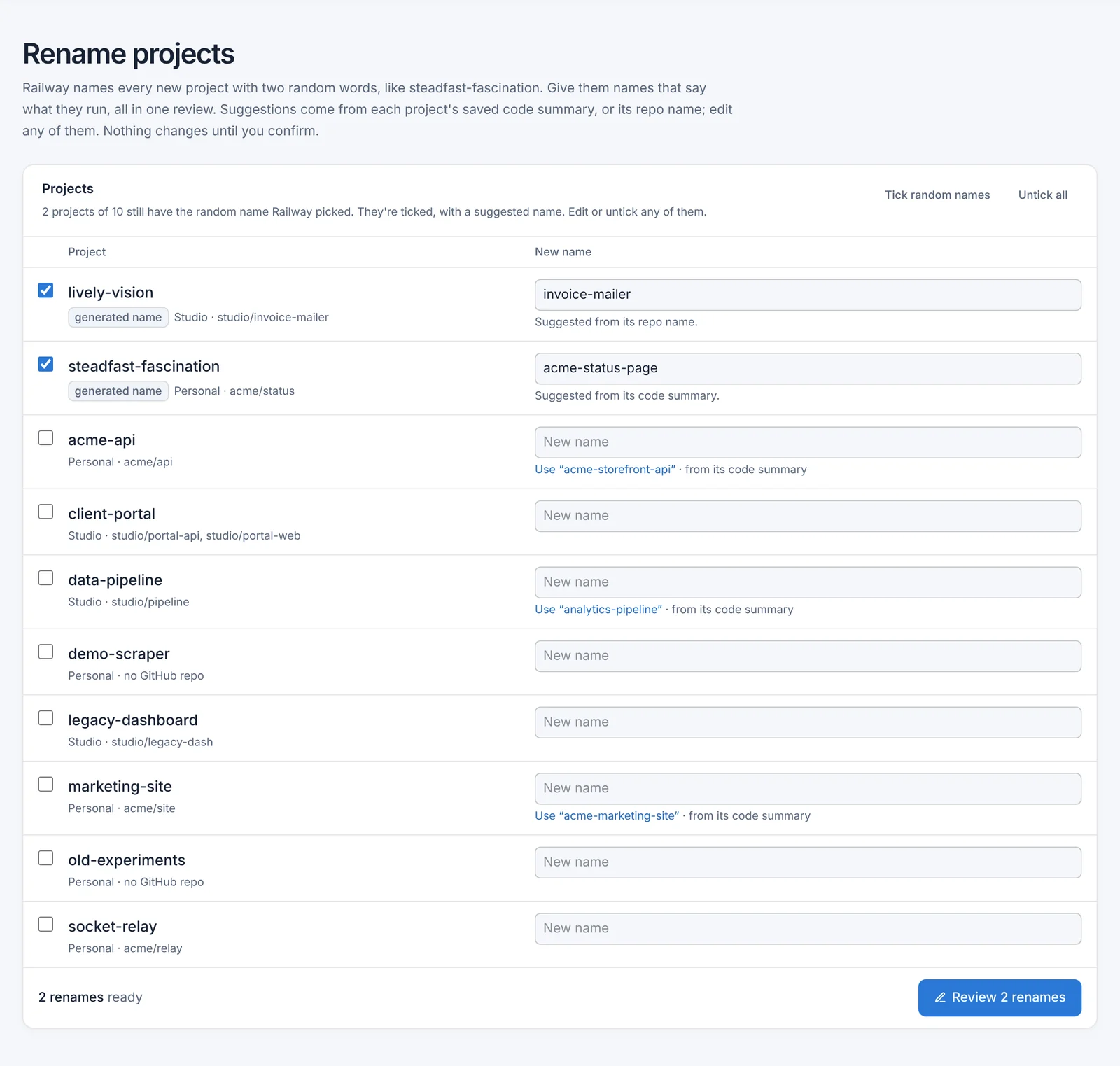
Railway names every project with two random words. Swap them for names that say what each app does, several at once, with suggestions from each app's code.
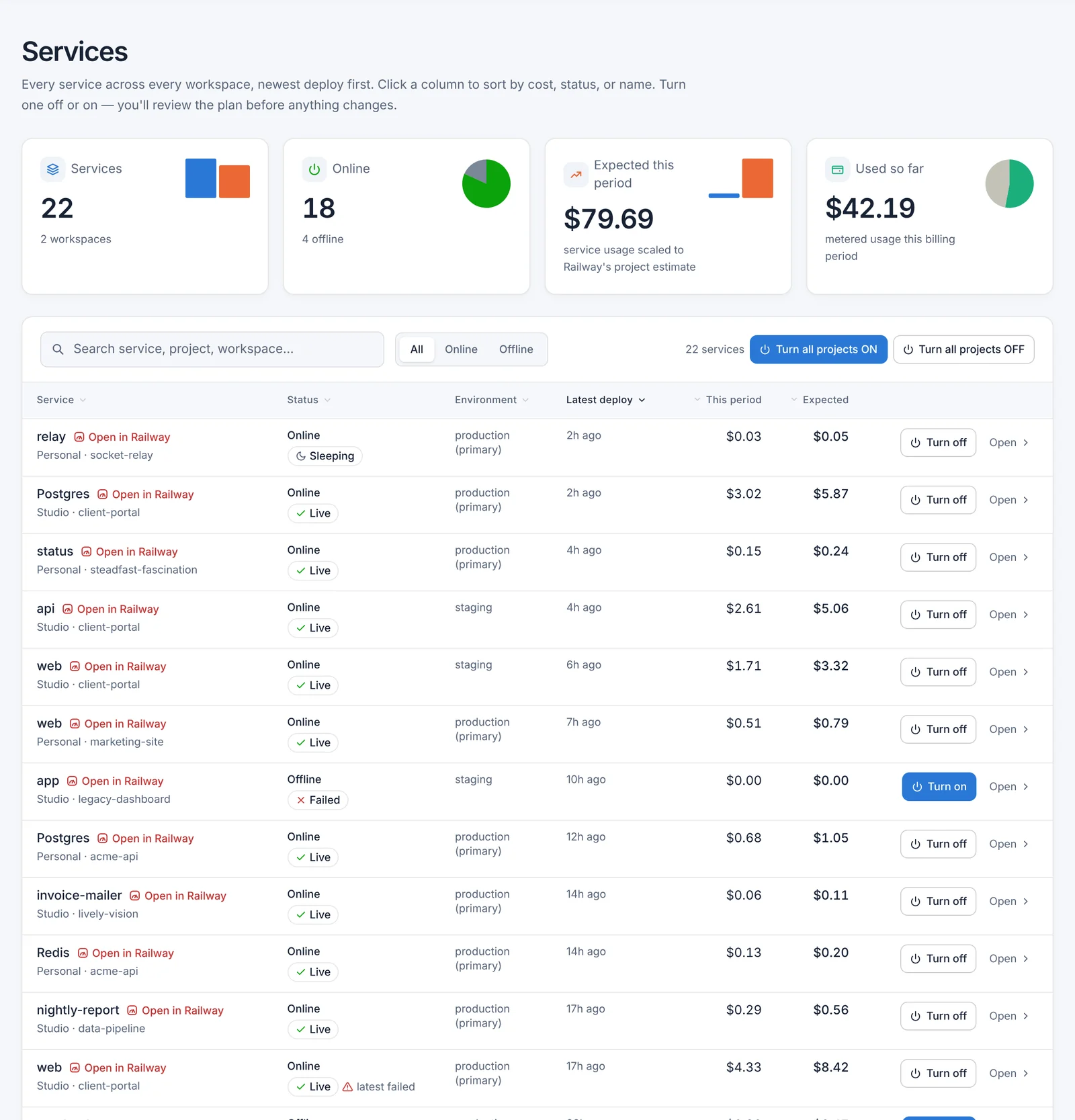
Every service across every workspace in one table, newest deploy first. Sort by cost, filter to what's online, and turn things off in bulk, each change reviewed first.
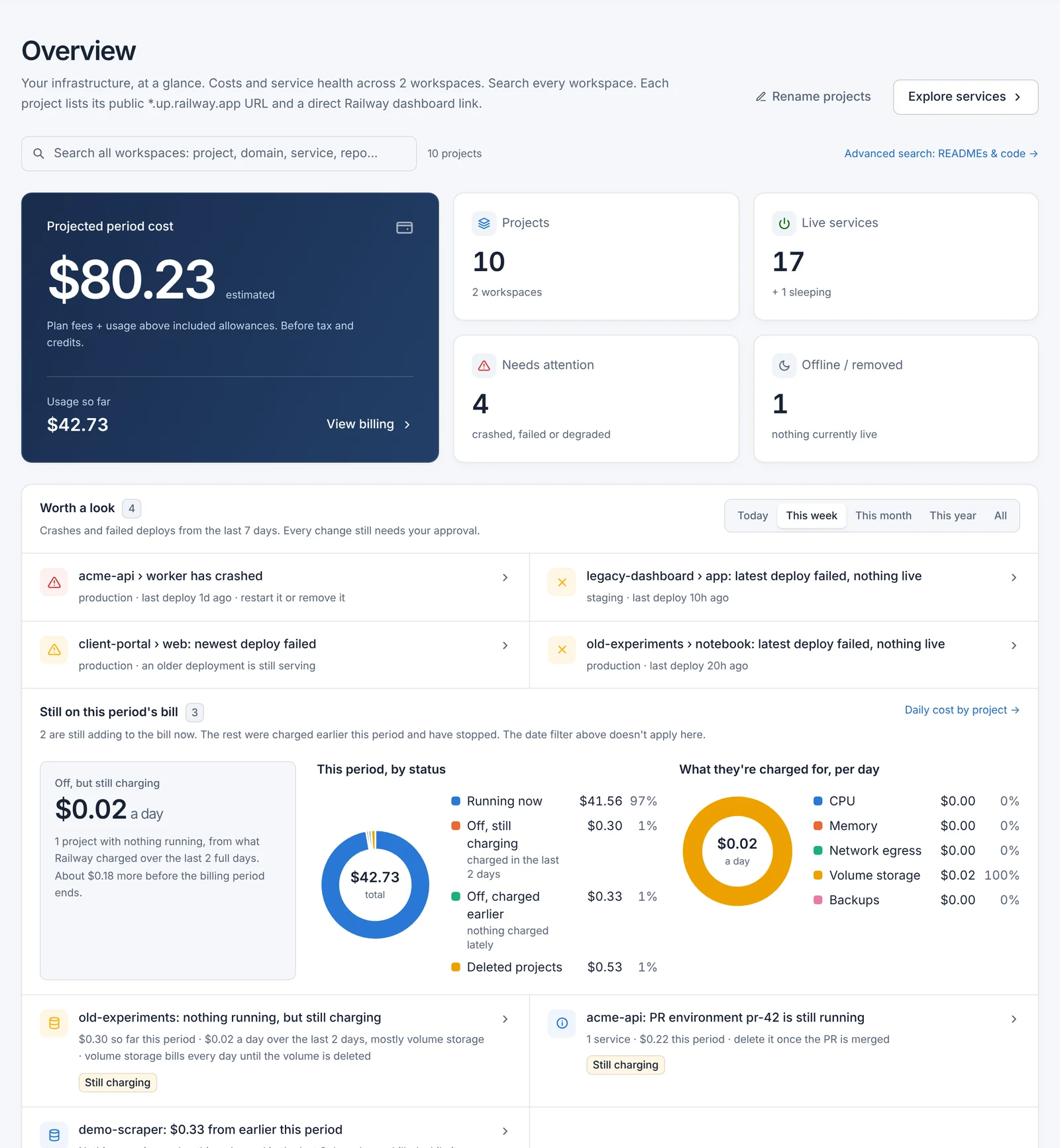
Projected cost, what's live, what crashed, and what's worth a look this week. Tabs load in the background and stay loaded until you press Refresh.
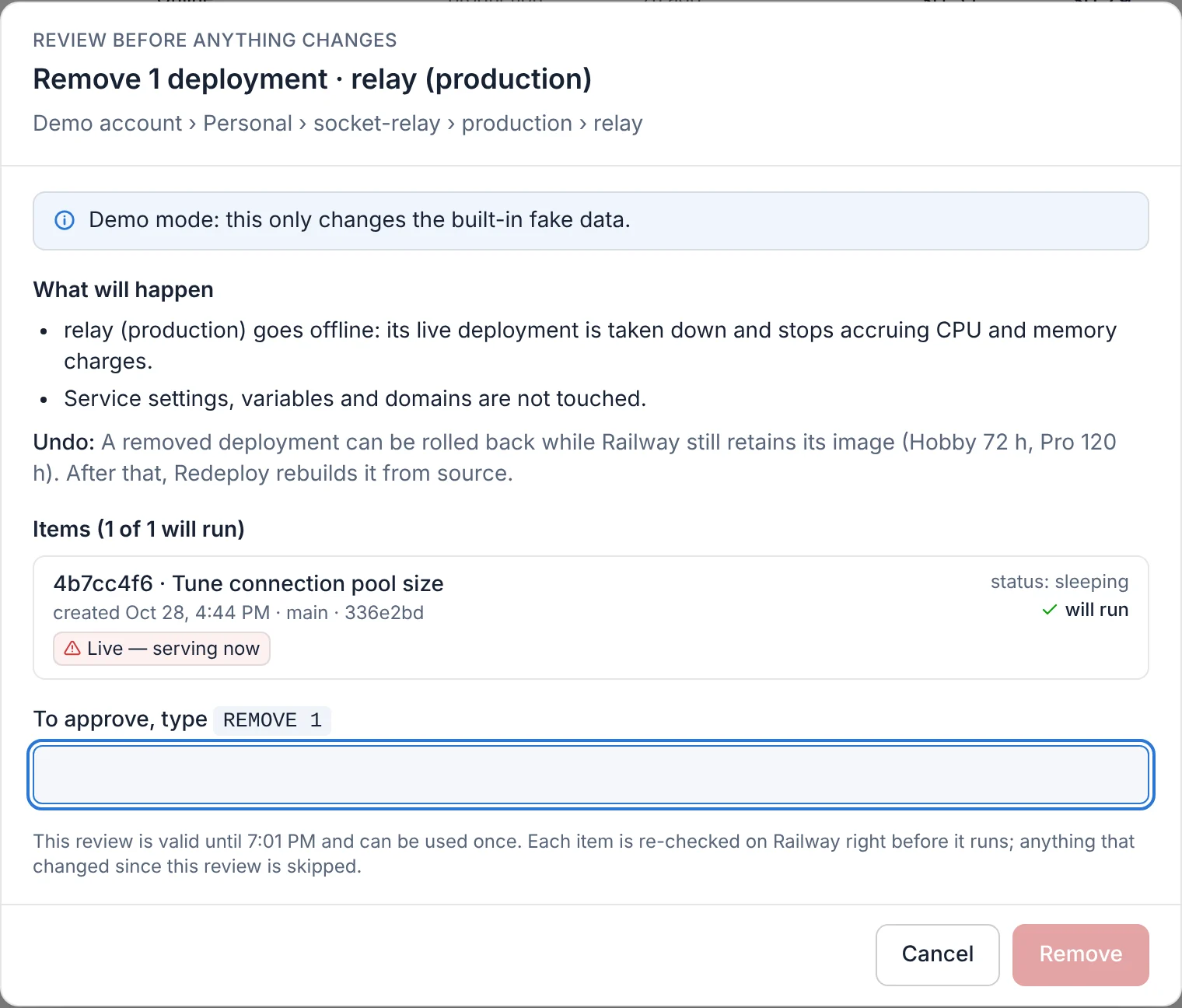
The dashboard starts read-only. When you do make a change, it goes through the same four steps every time.
About five minutes. You need Node.js 20.9 or newer and a Railway account token.
git clone https://github.com/sas70/railway-billing-inspector.gitcd railway-billing-inspector && npm installcp .env.example .env.localCreate a token at railway.com/account/tokens (choose No workspace), then paste it after RAILWAY_TOKEN_MAIN= in .env.local.
npm run appThen open http://127.0.0.1:3100. It only answers on your own machine.
Vote, comment or suggest something on the roadmap.
After a breach, find every secret across your projects, paste each new key once, review, and update every service that uses it.
"Which apps cost the most?" An assistant that answers from your dashboard's data and points you to the right page. Read-only.
Summarize new apps, copy the descriptions, rename the random names, still reviewed step by step.